


Favi-what?
Favicons (short for Favorites Icon) have become a standard in website design these days. It's one of those simple things you can do to improve your blog in just a few minutes. In this guide you will find out how to get yours.
Favicons help distinguish your blog by giving it a little icon that can be seen in the address bar and depending on the browser in many other places such as the bookmark lists and the browsers tabs. This 16x16 mini icon can also help with brand recognition.
In my case I was stuck with the default Blogger Favicon  and since I updated my site with my own I feel like I stick out in the crowd a little.
Microsoft was the first to implement the favicon.ico in Internet Explorer 4. Because of standardization .ico is the most widely accepted Favicon format. You can also use .jpg, .png, .gif and still have a wide range of support. Not all browsers support those formats but .ico, .png, and .jpg will be your best bet.
How do I get one?
Your next step is getting your hands on your Favicon, lucky for you theres boundless resources available.
You should already have an idea of what Favicon you can create assuming you already have a logo for your site. You can basically just create a miniature version of that or come up with a totally new concept.
These icons are small so you almost need to think more like Nintendo and less like XBOX360 when designing them. Some are considered little works of art, goto Favicon Collector for some inspiration.
*Want to start by creating a logo first?* Link Medic's list of logo creation tools
Here are some of the common routes you can take. If you already have your favicon click here to see the next step
Online Favicon GeneratorsMany sites have jumped in on the Favicon frenzy and offer Favicon generators. These are online tools that will help you create your own favicon, some are actually pretty powerful and eliminate the need to use high powered graphic software like photoshop.
Below are some generators I recommend. Click here for even more options.
| FavIcon from Pics |
favicon.ico Generator |
Favicon Generator |
 |
 |
 |
If you know your way around photoshop you can easily make your own favicon this way. Just start a new image thats 16 pixels by 16 pixels. Design it then save it as a .jpg, .gif, or .png. You can then use this online tool called Converitcon that can import ICO, PNG, GIF and JPG files and export to a high quality PNG or ICO file. Find a free Favicon to use
If design is just not your bag you can always just find and use a generic free one. At any rate it's still better than having nothing at all or the default icon your blog platform gives you.
Here's a few free Favicon resources:
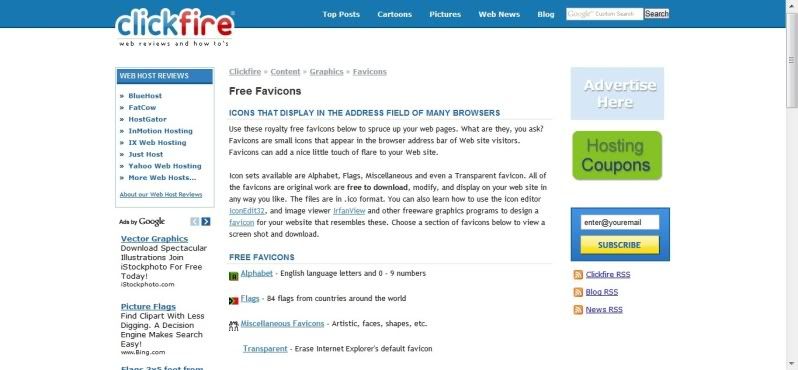
| Click Fire Free Favicons |
Fineicons |
Favicons R Us |
 |
 |
 |
I've got my Favicon now what?
At this stage you've gotta upload the little bugger somewhere just like any other image. If you've got your own website and FTP server, great! Upload your icon and save the image URL. You can move on to the next step.
If you use a blog platform chances are you're going to have to find a site to upload it to.
Here are some good choices.
| Photobucket |
TinyPic |
DropShots |
 |
 |
 |
How do I add it to my site?
All you have to do now is insert the following code in between the <head> tags of your site.
Congratulations, you're done! If it doesn't show up you may have to clear your browsing history, cache, recylcing bin, restart the browser or your computer.
If you use Blogger it's a bit trickier go here to see how its done
If you use WordPress you can simply add a plug that will do this for you.












3 comments:
Hey, I came here from BloggerLuv and I really dig your blog! I wanted to see a post like this since July when I went to a self-hosted blog. Thanks and have a great day!!
Hey there, appreciate the kind words. Yeah I decided to create this guide once I saw the general lack of a thorough tutorials for favicons and blogging. Most of the ones I saw were "heres the code, add it"
I come from a website design background but I know a ton of bloggers don't so I hope this helps my fellow bloggers out.
Thanks for your simple, clear instructions. I do so love Easy Answers! ~Jim
Post a Comment